
/Logot/Feelment%20Logot/Feelment_logo_2021_Feelment_Dark_Slogan.svg "Feelment_logo_2021_Feelment_Dark_Slogan")

Music is the secret weapon of fitness instruction. It can raise your heart rate, set the mood, or make the whole group smile—or, at worst, completely kill the vibe. But where can you find music that suits both the mood and the type of exercise? Many fitness instructors run into the same problem: Spotify isn’t an authorized tool for group exercise classes, but what real alternatives are there? This is where Feelment comes in—a music service designed specifically for professional use. But does Feelment actually work for fitness instruction? Are the playlists sufficient for a gymnastics class, a Lavis class, or even a stretching session? Let’s explore this topic together.

Read more about Feelment and begin your trial period
Feelment’s music library is versatile enough for everything from dance to HIIT workouts
Although Feelment is particularly well-known among restaurants, our app also serves many municipalities, fitness instructors, and gyms. Our music library has received particular praise for its language selection, as it features a wide variety of tracks in both Finnish and other languages. The playlist search feature is perfect for fitness instructors, as the selection can be filtered by energy level and tempo.
Not only are there over 300 ready-made playlists, but many of them have been designed specifically for exercise. You’ll find suitable music for everything from gym workouts to group exercise classes. Below, you’ll find more detailed tips for different uses. Psst. You can add a playlist to your favorites by tapping the heart icon. You’ll find the heart button in the playlist details—just click on the playlist’s name or icon. You can find the playlists you’ve added to your favorites in My Library.

See instructions: Playlist search
Here's how to search for playlists in Feelment
Playlist Tips for the Gym and HIIT Workouts
When energetic music is playing in the background, your gym workout and high-intensity exercise really get going. The tempo of the background music is especially important when it comes to gym workouts. The “Tempo” playlists in Feelment’s playlist library are extremely useful in this context. With Tempo playlists, it’s easy to control the energy and rhythm of your workout. In these playlists, the songs all follow the same tempo, and you can choose from 90–140 bpm (beats per minute). Other playlists suitable for the gym include, for example, Feelment’s “Uptempo Pop Workout,” “Metal Power Gym,” “Training Dance Mix,” and “Fresh Fitness.”
Playlist Tips for Guided Workouts
Feelment’s music library also has plenty to offer for group exercise, as our playlists include everything from dance-friendly tracks to music designed for post-workout recovery. The newest additions to our library are the Fresh Fitness and Bachata playlists. The Fresh Fitness playlist features new and energetic music with a fast tempo that’s perfect for a wide variety of workouts. The Bachata playlist on the other hand is perfect as background music for trendy Bachata classes. Other playlists suitable for group exercise include these Feelment playlists: Aerobic Classics, Zumba Time!, Twerk, Time to Stretch, Spa Instrumental, and Yoga.
Tips for dance classes and Lavis
Did you know that we partner with Lavis? As a Feelment customer, you have access to ready-made Lavis playlists designed by Riitta Lindroos, CEO of the Lavis concept. Lavis playlists are intended solely for use by Lavis instructors, which is why they are not available in Feelment’s public music library. We’ll make the Lavis playlists available to you once you let us know you need them. Please contact our customer service regarding this matter.
In addition to the Lavis playlists, Feelment’s library offers other dance music options. In the “Dance Playlists” section, you’ll find playlists such as: “Youthful Dance Music,” “Traditional Dances,” “Guaranteed Dance Hits,” “The Thrill of Competitive Dancing, ” and “The Thrill of Dancing.” In addition, our library features separate playlists for: Waltz, Humppa, Fox, and Tango.
With Feelment, you can also play your own playlists
As every fitness instructor knows, a group exercise class planned song by song is often the be-all and end-all in many situations. When the structure of a class is based on specific songs, playing pre-made playlists simply isn’t an option. As a Feelment customer, however, you don’t have to settle for just the pre-made playlists in our library—you can also play your own playlists using our app.
Creating your own playlists depends a bit on which device you’re using to run the Feelment app. If you’re using a Windows device, you can check out the instructions for creating playlists here. If you’re using an iOS (Apple) or Android device, you can check out the illustrated instructions here. You can also create playlists on Spotify and then import them into Feelment. This way, you can make your Spotify playlists available to the public.
See instructions: Importing Spotify-playlists
Here's how to import Spotify-playlists to Feelment.
Play playlists in track order or on shuffle
For a carefully planned group exercise class, the songs on the playlist must play in a specific order. By default, the Feelment app plays songs in random order, but you can change this setting if needed. If you’re using an iOS or Android device, you’ll find the “Shuffle” option in the Feelment app’s settings. By changing this setting, you can have your playlists play in track order or on shuffle. If you’re using a Windows device, you can find more detailed instructions here.
💡 Tip for iOS and Android users: In the Feelment settings, you'll find the “Simultaneous Playback of Multiple Playlists” option. We recommend that fitness instructors disable this setting and turn on shuffle mode. After that, Feelment will play only one playlist at a time, and when you start a new playlist, the previous one will be replaced by it. You can also play a single song directly from a playlist. You can find more detailed instructions here.
If the order of the songs doesn’t matter and you simply want some good music to play in the background while you work out, we recommend playing multiple playlists simultaneously in addition to using shuffle mode. This increases the variety of songs playing and prevents the same track from repeating too often. By playing multiple playlists at the same time, you can also spice up your playlist with different genres. What could be more refreshing than listening to a diverse mix of music while working out! You can add multiple playlists to the mix by clicking the play button next to each playlist you want to include.
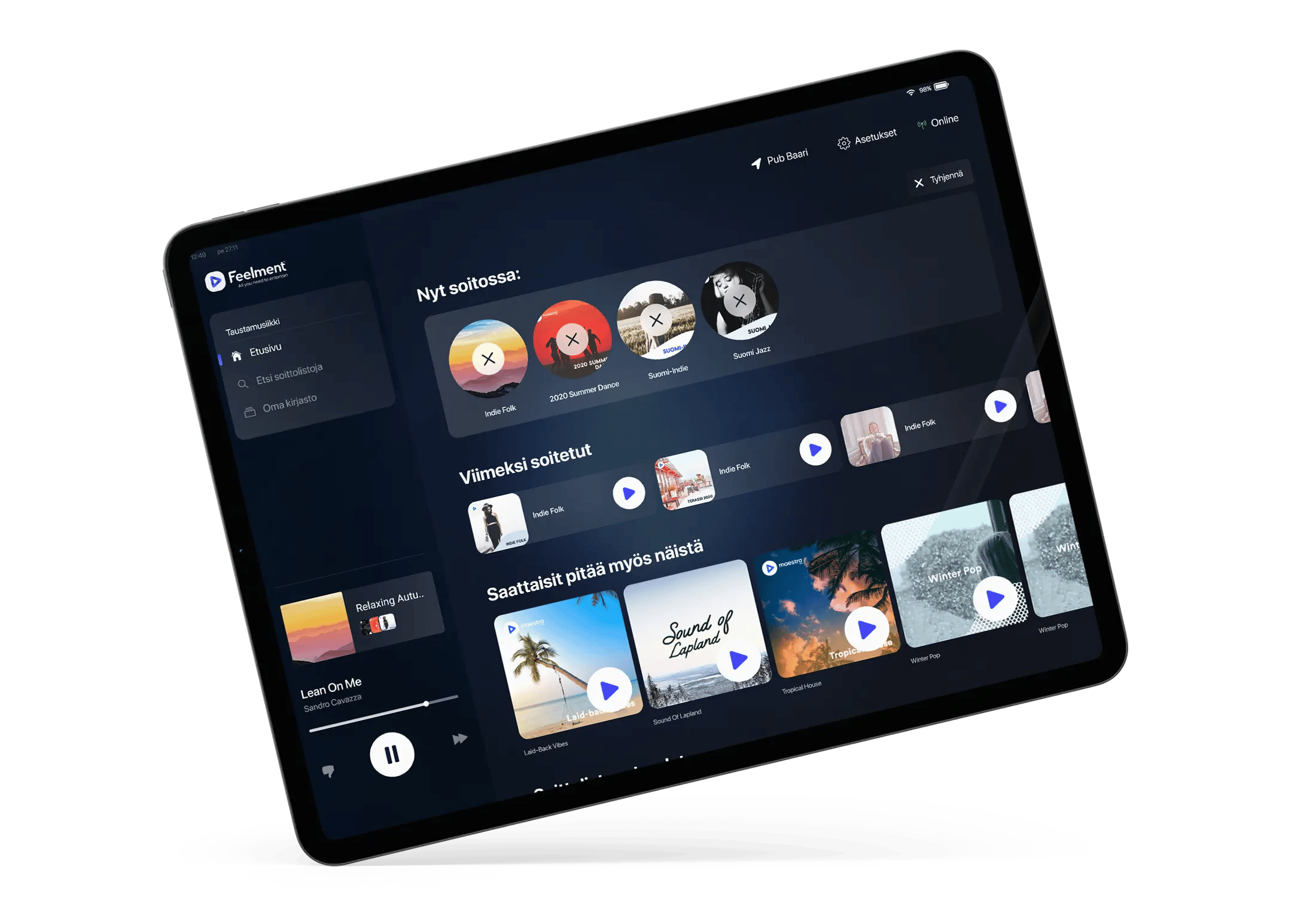
How to Get the Most Out of Feelment – 5 Tips for Fitness Instructors
Did you know that Feelment has features that few instructors take full advantage of? Many use our app with just the basic functions, but with a few small adjustments, you can make your fitness classes even more effective and fun. Here are five tips to help you take full advantage of Feelment’s capabilities.
1. Fine-tune your settings
When the workout is going well, you don’t want to slow down! That’s the perfect moment for seamless background music that plays in a smooth rhythm, flowing from one song to the next. You can create a continuous, steady musical experience by adjusting the crossfade setting in Feelment’s settings. Crossfade refers to the time during which the current song fades out and the next song begins to fade in. You can adjust the crossfade duration between 0 and 10 seconds.
In addition to crossfade, we recommend that iOS and Android users turn off simultaneous playback of multiple playlists as well as shuffle mode. You can easily do this in Feelment’s settings. Unfortunately, the Windows version of Feelment does not currently support disabling simultaneous playback of multiple playlists.
2. Take Advantage of “Silence” Tracks
A drink break is sometimes just what you need to keep your energy up during your workout! You can plan your drink breaks in advance as part of your setlist using Feelment’s “Silence” tracks. That’s because we’ve created tracks in Feelment where nothing plays! By adding these tracks to your playlist, you won’t need to pause the music manually—the Feelment app will automatically play the desired length of silence when the time is right.
You’ll find the following tracks in Feelment’s music library: 05 seconds, 10 seconds, 15 seconds, 20 seconds, and 30 seconds. These tracks consist of complete silence that lasts for the duration specified in the track title. You can find them by typing “Hiljaisuus” (silence in Finnish) into Feelment’s search bar. If you’re looking for an hour of silence, you can get it by adding the track titled “Hiljaisuus 60 min” by the artist “Hiljaisuus” to your playlist.
3. Download playlists for offline listening
A spotty internet connection is a fitness instructor’s worst nightmare, because when the music cuts out, the workout just doesn’t work. If you know that your facility has an unstable internet connection, it’s a good idea to download your playlists offline in advance. This way, your playlists will keep playing without a hitch even if the internet connection is down or spotty.
See instructions: downloading playlists for offline use
Here’s how to use background music without an internet connection.
4. Pause the service if necessary
Thinking of taking a summer vacation? So are we—because everyone deserves a break! As a Feelment customer, you don’t have to pay for music you’re not using, since you can pause your music service subscription whenever you need to. You can pause your subscription as long as you let us know in advance. We’ll make sure your music subscription ends at the end of the current billing period. You can pause your subscription in My Feelment by following these instructions or by contacting us.
5. Schedule a training session whenever needed
Did you know that you can book a free user training session with us whenever you need it? If you have new employees joining your team or if Feelment is completely new to you, user training is a good idea. The training is conducted remotely via Teams, so you can participate regardless of your location. You can book training here.
